
Everything you need to test confidently
Feature tracking, test execution, exploratory sessions, release management, and MCP integration — all in one place.
Organize tests around what matters
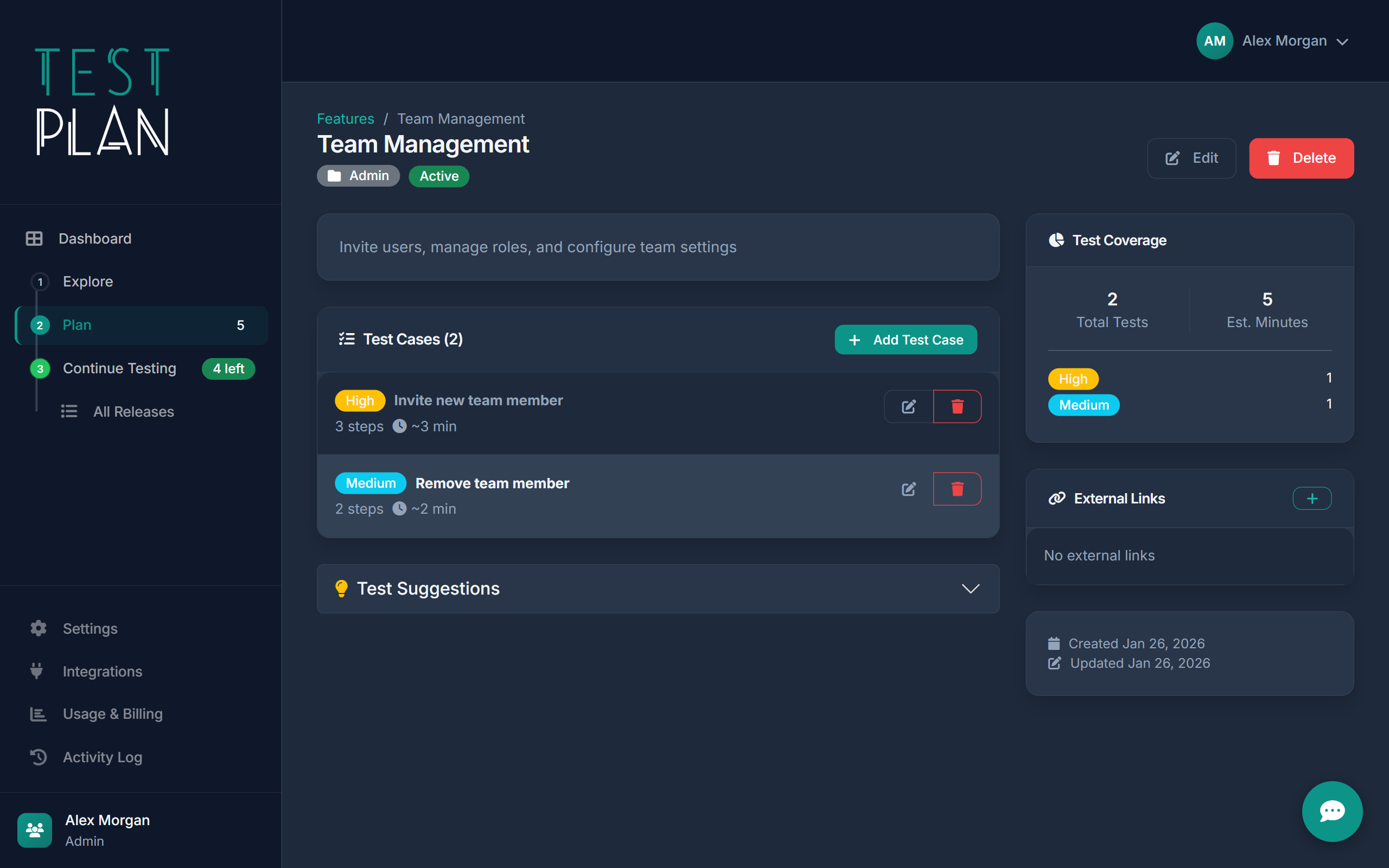
Every product has features. Every feature needs tests. TestPlan makes this connection explicit, so you always know what's covered and what's at risk.
- Create features with descriptions and documentation
- Link test cases to one or more features
- View coverage percentage per feature
- Categorize features by area (Auth, Payments, UI, etc.)
- Track feature status (Active, Deprecated, In Development)

Write tests that anyone can run
Clear steps, expected results, preconditions. TestPlan test cases are structured enough to be unambiguous, flexible enough to cover real scenarios.
- Step-by-step test procedures
- Expected results per step
- Preconditions and test data requirements
- Priority levels (Critical, High, Medium, Low)
- Estimated execution time
- File attachments and screenshots
Execute and track in real-time
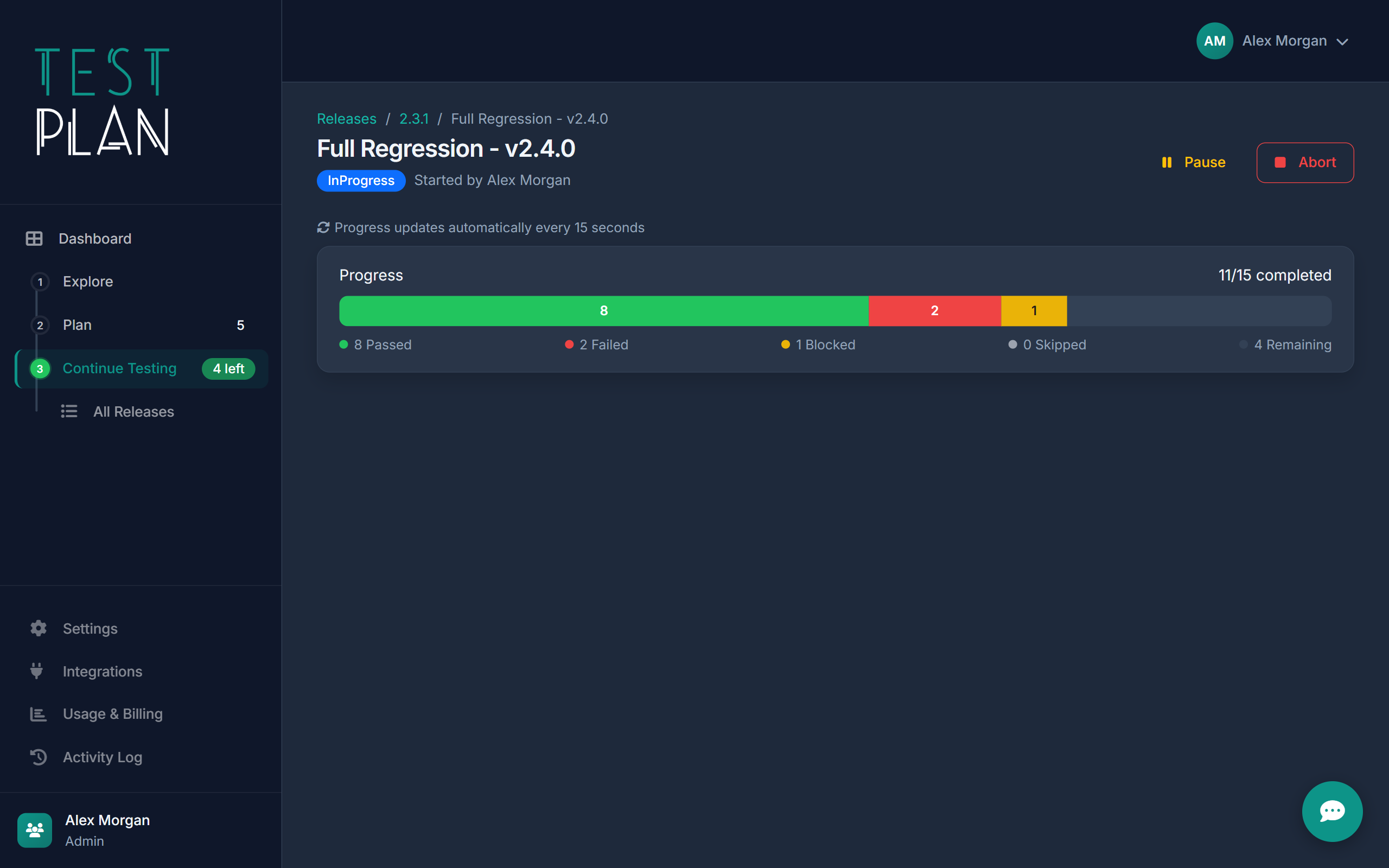
Create a test run, assign it, and watch results come in. Track time spent vs estimated, see what's passing, failing, or blocked - all in real-time.
- Live test execution interface
- Pass/Fail/Blocked/Skipped with one click
- Time tracking: estimated vs actual
- Add notes and attach screenshots
- Pause, resume, or abort runs
- Tests grouped by feature in sidebar
Ship with confidence, every time
Visual workflow from Draft to Testing to Released. Track time spent, coverage, and issues. After release, link production bugs back to coverage gaps.
- Visual workflow: Draft → Testing → Released
- Time tracking across all test runs
- Pre-release issue resolution
- Post-release issue tracking
- Coverage gap analysis
- Rollback support

When scripts aren't enough
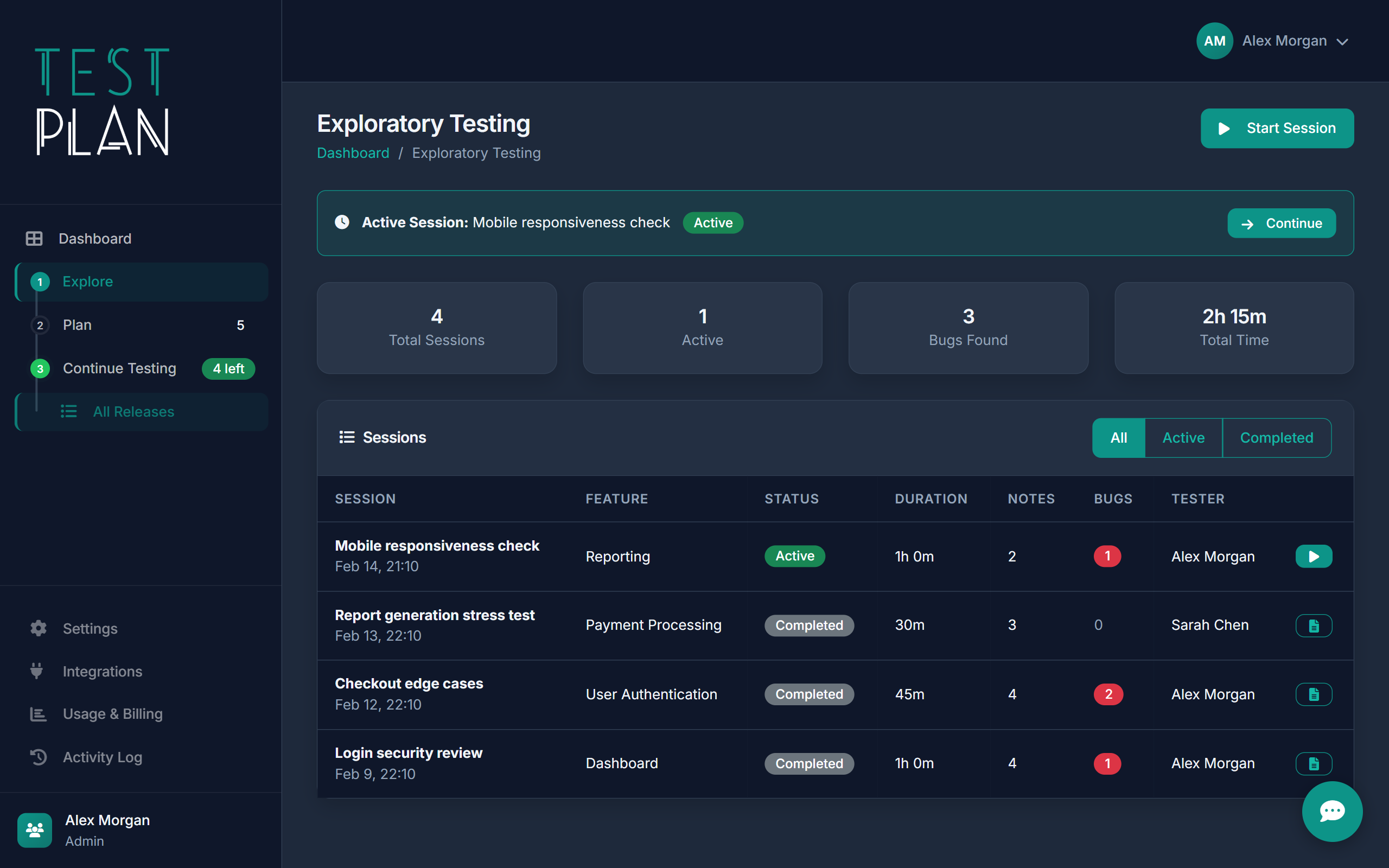
Sometimes you need to explore. Start a session, set a charter, capture findings as you go. Track time spent and bugs found without the rigidity of scripted tests.
- Session-based testing with charter/goal
- Link sessions to features or releases
- Capture notes and bugs during exploration
- Track active time and session duration
- Session reports with findings summary
Never lose track of what needs testing
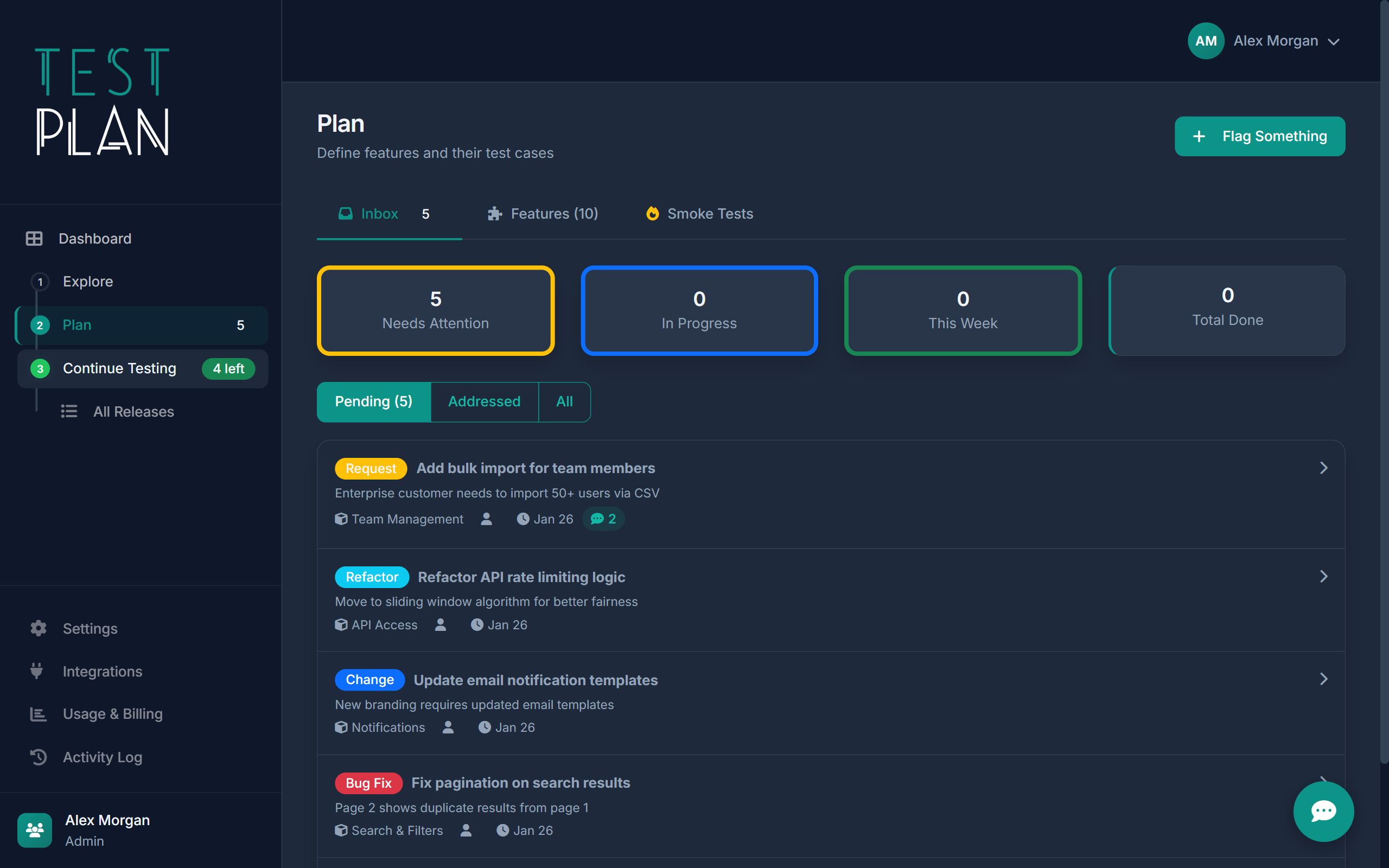
When code ships, flag it. Track every change from "needs tests" to "fully covered". No more "did we test that?" conversations.
- Flag new features, changes, bug fixes, refactors
- Link changes to affected features
- Status workflow: Pending → In Progress → Addressed
- Resolution notes explaining what was tested
- Weekly and all-time statistics
Know who did what, and when
Complete activity history for every feature, test case, run, and release. Filter by action type, entity, or date range. Export-ready for compliance.
- Every create, update, delete logged
- See before/after values for changes
- Filter by entity type or action
- Track test case edits during runs
- Date range filtering (7/30/90 days)

Your AI tools, fully connected
TestPlan doesn't bundle its own AI or charge per token. Instead, it exposes a full MCP (Model Context Protocol) server with 80+ tools. Connect Claude Code, Copilot, Cursor, or any MCP-compatible client and let your existing AI tools manage your entire test suite.
- 80+ MCP tools covering features, tests, runs, releases, issues, and docs
- Bootstrap a full test suite from code in minutes
- Analyse changes before each release and flag gaps automatically
- Use any AI provider — no vendor lock-in, no extra cost
- Connect multiple MCPs (TaskBoard, your repo, TestPlan) for cross-tool workflows
- REST API for custom integrations